Integrations overview
Only users with ATS admin access can connect integrations. If you are not an admin, ATS connection options and permissions will not appear in your account.
Spheric integrations allow you to connect external hiring tools and job distribution platforms directly to your workflow.
These integrations help streamline recruiting, automate processes, and centralize candidate management.
What integrations can be used for
Depending on your plan and setup, integrations may allow you to:
- Connect ATS platforms
- Distribute jobs to external job boards
- Import applicants
- Sync hiring workflows
- Centralize candidate management
Available integration types
Spheric currently supports integrations such as:
ATS integrations
Connect your Applicant Tracking System to manage candidates across platforms.
Examples may include:
- Greenhouse
- Lever
- Ashby
- Other supported ATS platforms
To learn more about this click here.
Job board integrations
Connect external job boards to distribute and sponsor your roles.
Supported platforms may include:
- Indeed
- Other supported boards
To learn more about this click here, or visit:
- Connect job boards
- Sponsor a role on Indeed
How integrations help your workflow
Integrations help teams:
- Reduce manual work
- Centralize hiring activity
- Increase role visibility
- Improve recruiting efficiency
Where to manage integrations
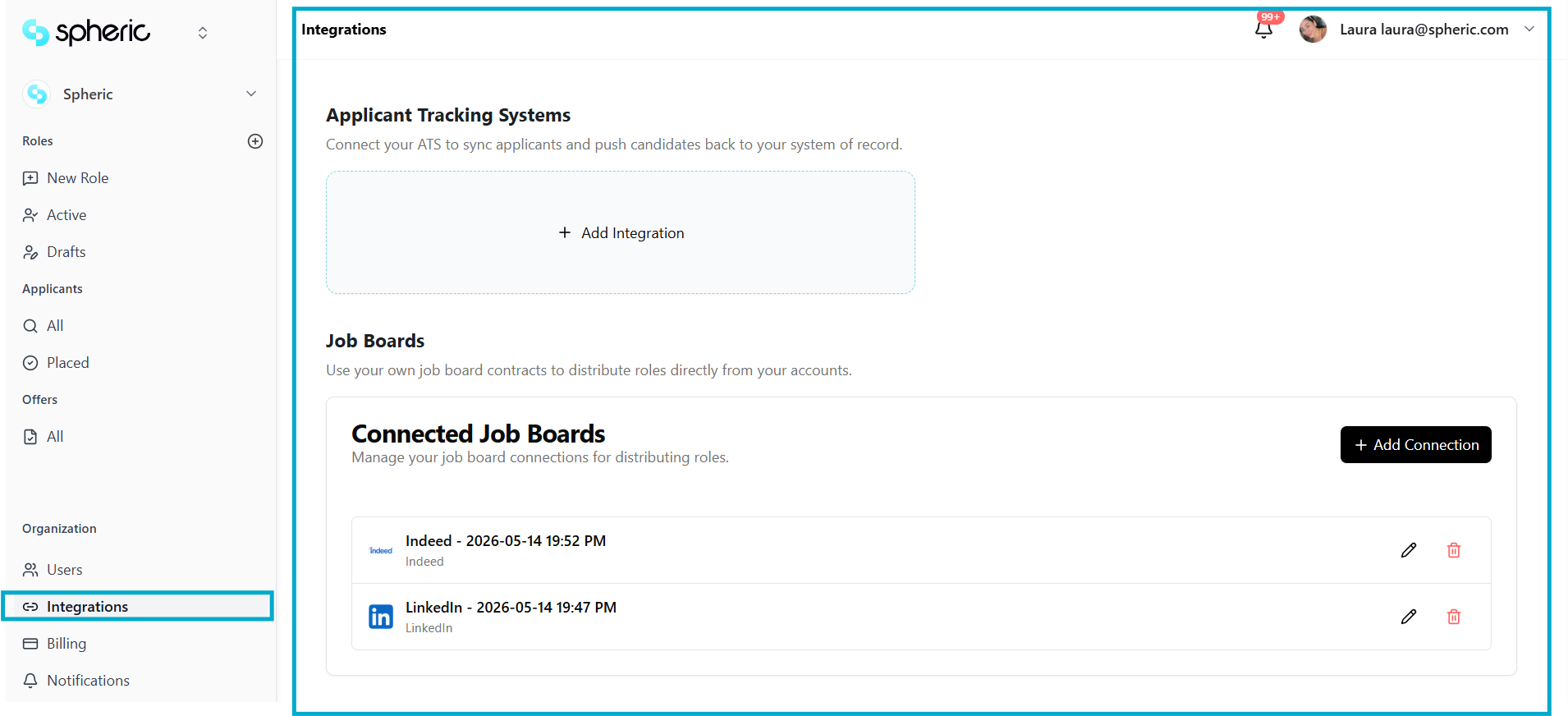
You can manage integrations in the Integrations section of your account settings.
From there, you can:
- Connect tools
- Disconnect integrations
- Manage permissions
- Review connected platforms
Plan availability
Some integrations may only be available on specific Spheric plans.
To compare plans and available integrations, visit:
Related articles
To learn more, visit:
- Connect an ATS
- Connect job boards
- Sponsor a role on Indeed
- Manage integrations