How candidates are scored
Spheric uses AI to evaluate candidates throughout each stage of the hiring process.
Spheric uses AI to evaluate candidates throughout each stage of the hiring process.
Scoring is based on the criteria and thresholds defined when the role is created.
How the scoring process works
1. Initial screening
When a candidate applies, Spheric analyzes their resume and profile.
At this stage, the AI evaluates:
- Work experience
- Skills
- Education
- Overall relevance to the role
Candidates are scored and either:
- Move forward, or
- Are filtered out based on thresholds
2. Intake form evaluation
Candidates who pass initial screening are asked to complete an intake form.
Their responses are:
- Analyzed by the AI
- Evaluated against your predefined criteria
Additional factors may include:
- English fluency
- Timezone match
3. AI interview or technical challenge
Candidates who meet the requirements move to the interview stage.
At this stage:
- Responses are analyzed in depth
- Communication and reasoning are evaluated
- Technical skills (if applicable) are assessed
4. Final scoring
All evaluation data is combined to determine the candidate’s overall match level.
Candidates are categorized as:
- Low match
- Moderate match
- Good match
- Great match
How thresholds impact scoring
Thresholds define:
- The minimum requirements to move forward
- How strict the evaluation process is
Candidates must meet or exceed these thresholds to progress through stages.
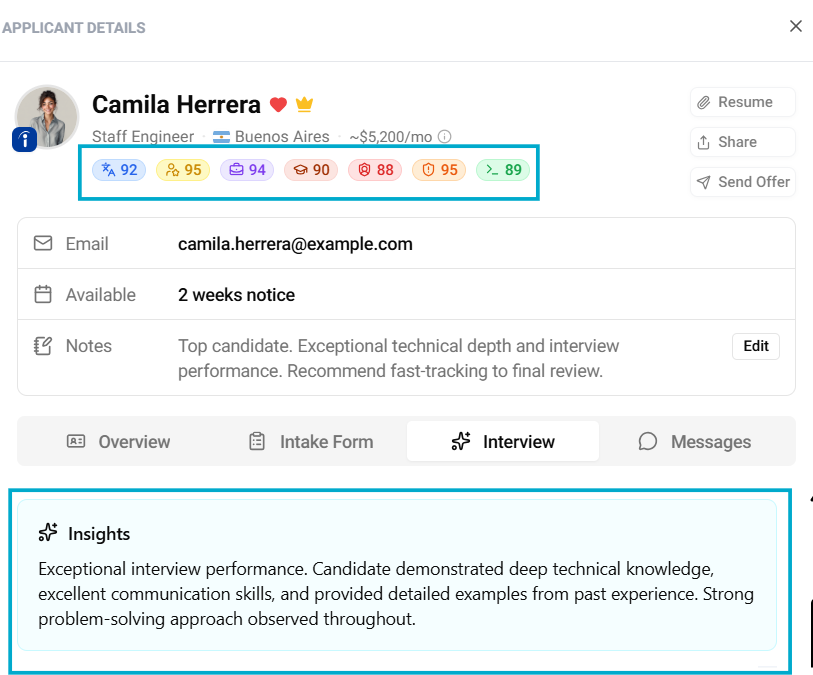
Where to view scores
You can review candidate scores in:
- The Applicant Board
- The applicant card
Click on any threshold to view:
- Individual scores
- A summary of the evaluation
How to use scoring effectively
- Focus on candidates in Manual review
- Use scores to compare applicants objectively
- Combine AI insights with your own judgment