Promo Codes & Credits
Spheric offers two types of discounts: promo codes and account credits.
Spheric offers two types of discounts: promo codes and account credits.
Both reduce the cost of your job postings, but they work in different ways.
Promo codes
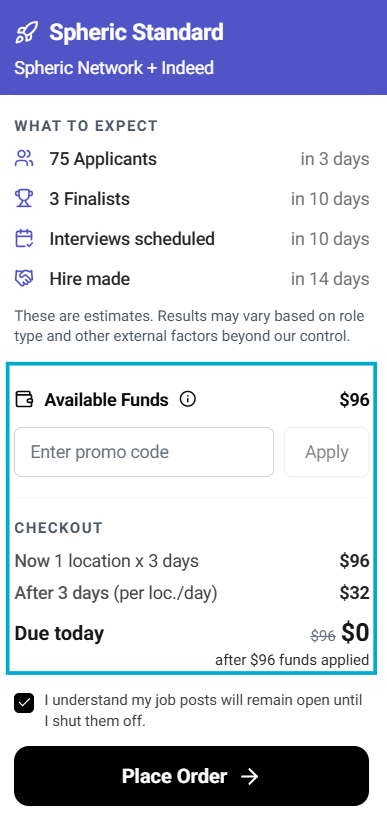
Promo codes are applied to a specific job posting and remain active while the role is live.
How promo codes work
- Applied during checkout
- Valid for the duration of the job while it is active on job boards and receiving applicants
- Automatically applied to the billing for that role
Account credits
Account credits are preloaded funds available in your account.
How account credits work
- Automatically applied at checkout
- Used before any other payment method
- Deducted from your available balance
Key differences
| Feature | Promo Code | Account Credit |
|---|---|---|
| How it’s applied | Entered at checkout | Automatically applied |
| Duration | Active while the role is live | Used until the balance runs out |
| Scope | Per role | Across your account |
How discounts are applied
- If account credits are available, they will be used first
- Only one discount can be applied per role
- Promo codes and credits cannot be stacked beyond this rule
What happens during billing
- Promo codes apply while the job is active
- Account credits are deducted until depleted
- The remaining balance (if any) is charged normally