Download receipts
You can download receipts for your payments directly from the platform.
You can download receipts and invoices directly from the Billing section of the platform.
These documents provide records of completed transactions for accounting, reimbursement, and reporting purposes.
How to download receipts or invoices
1. Go to your dashboard
Go to: https://app.spheric.com/
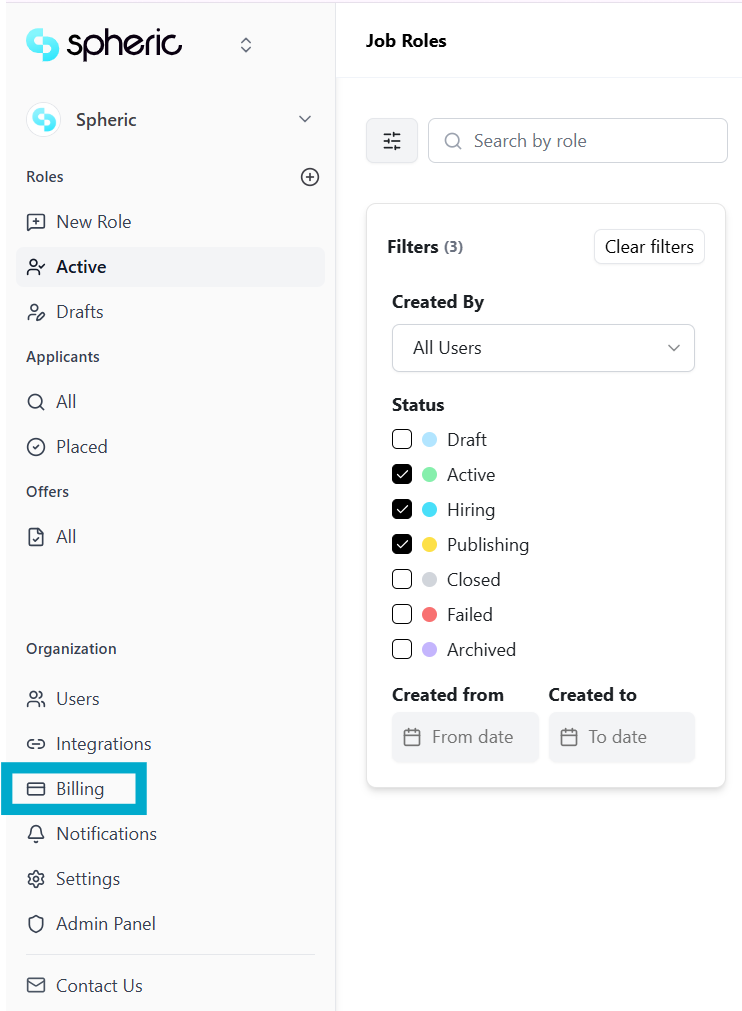
2. Open the Billing section
Navigate to the Billing section from your account settings.
3. Scroll to Invoices
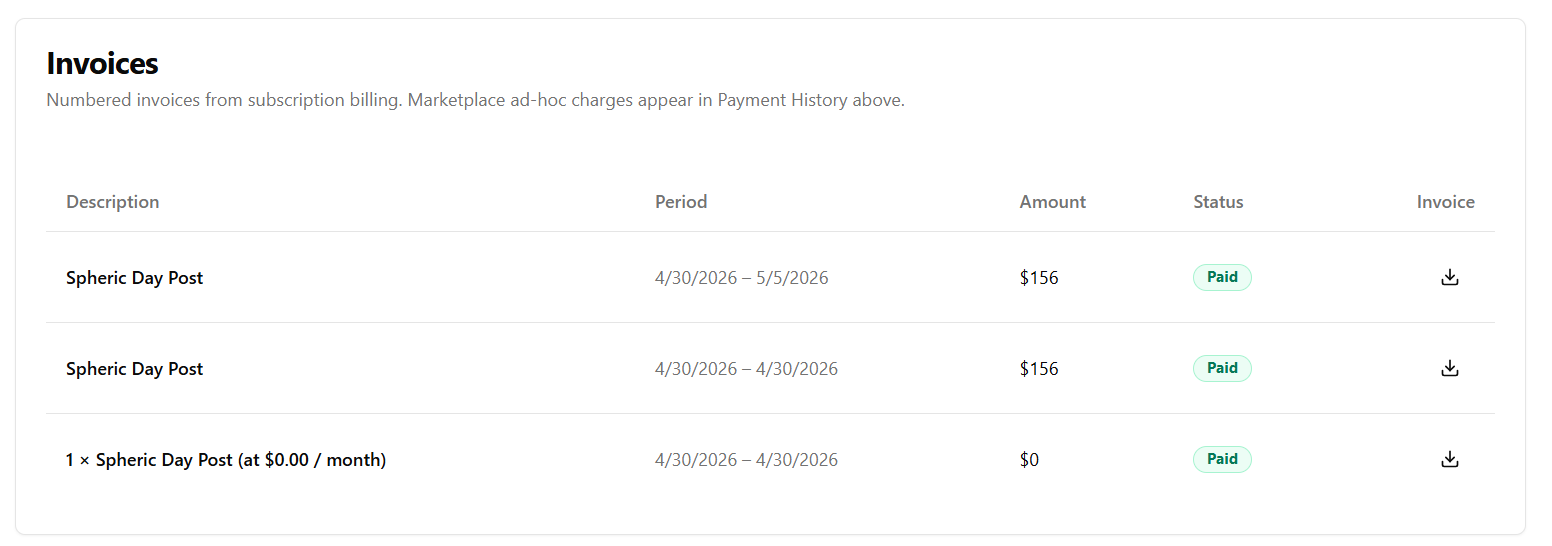
In the Billing page, scroll down to view your transaction history.
Here, you’ll see:
- Past payments
- Subscription transactions
- Billing history
4. Download your receipt or invoice
Click the download icon next to the transaction.
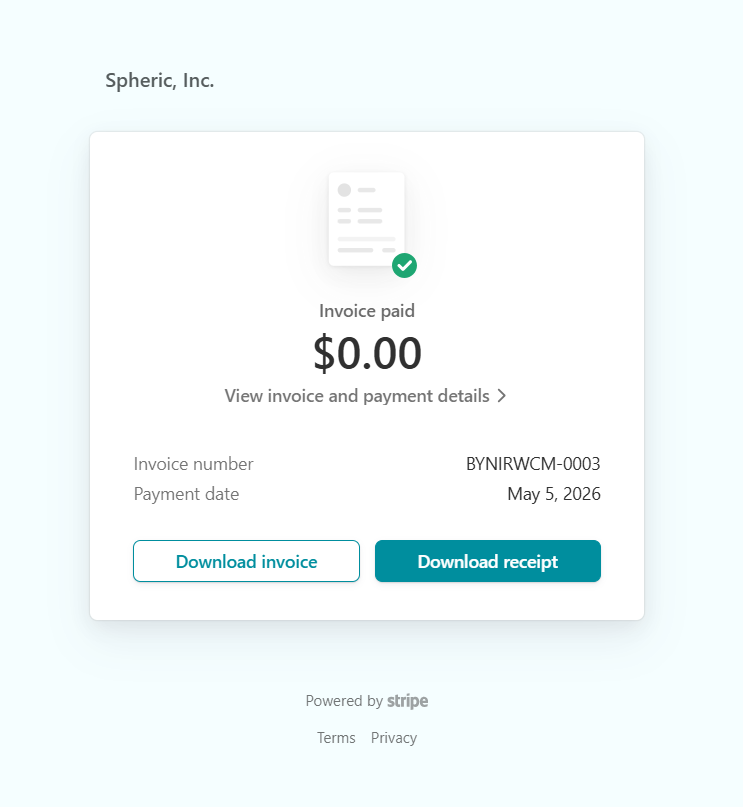
You’ll see two options:
- Download receipt
- Download invoice
Select the document you need.
What’s included
Depending on the selected document, you may see:
- Payment confirmation
- Billing date
- Amount charged
- Subscription or plan details
- Invoice reference information
When documents become available
Receipts and invoices are available:
- After successful payments
- For completed subscription transactions