Client feedback
Spheric provides a dedicated space for you to share feedback about the platform.
Spheric provides a dedicated space for you to share feedback about the platform.
Your feedback helps us improve the product and better support your hiring needs.
How to leave feedback
1. Go to your dashboard
Go to: https://app.spheric.com/
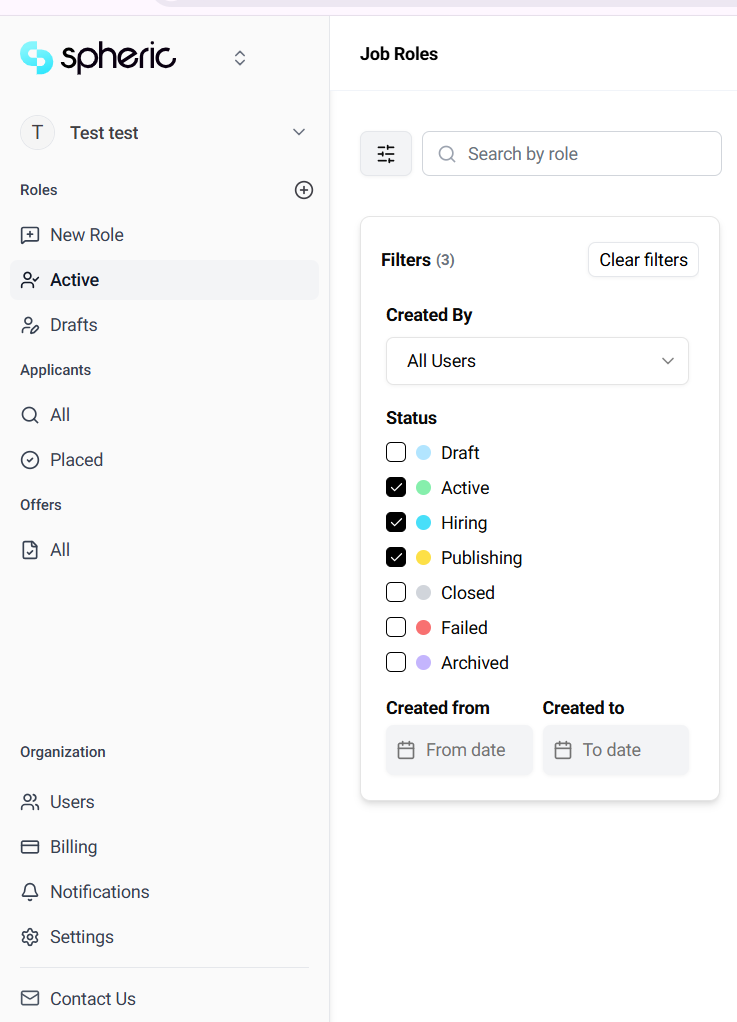
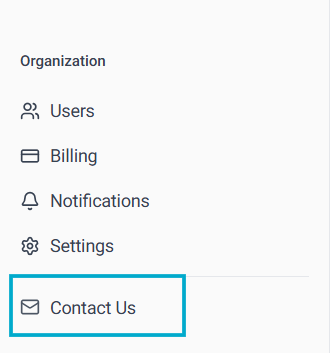
2. Locate the Contact Us section
Find the Contact Us option within the platform
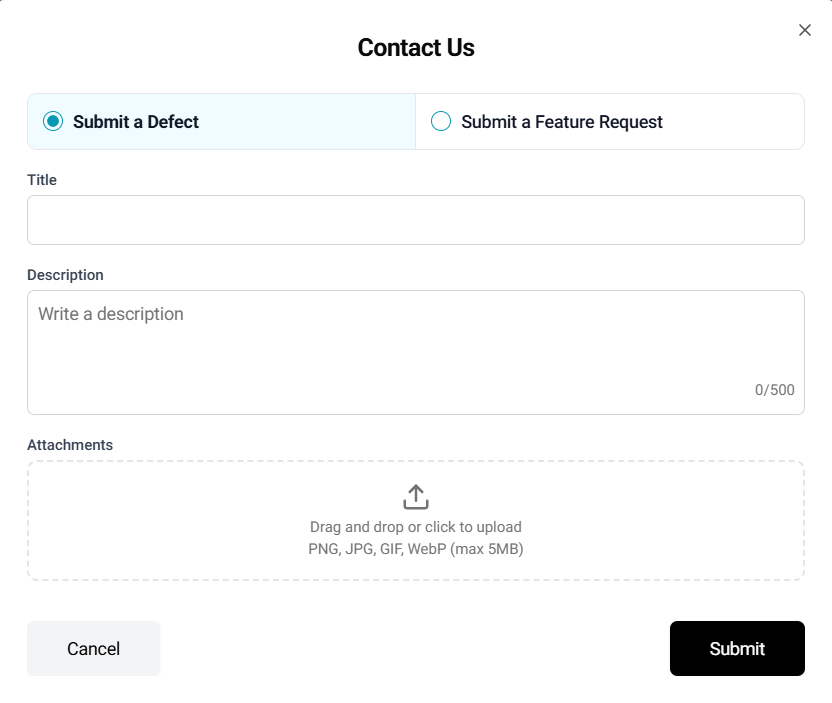
3. Submit your feedback
You can share:
- Suggestions for improvement
- Issues or bugs
- General feedback about your experience
What happens after you submit feedback
- Your feedback is reviewed by the Spheric team
- It may be used to improve features and workflows
- Our team may follow up if additional details are needed
Why your feedback matters
- Helps improve the platform
- Shapes future features
- Enhances the overall user experience